


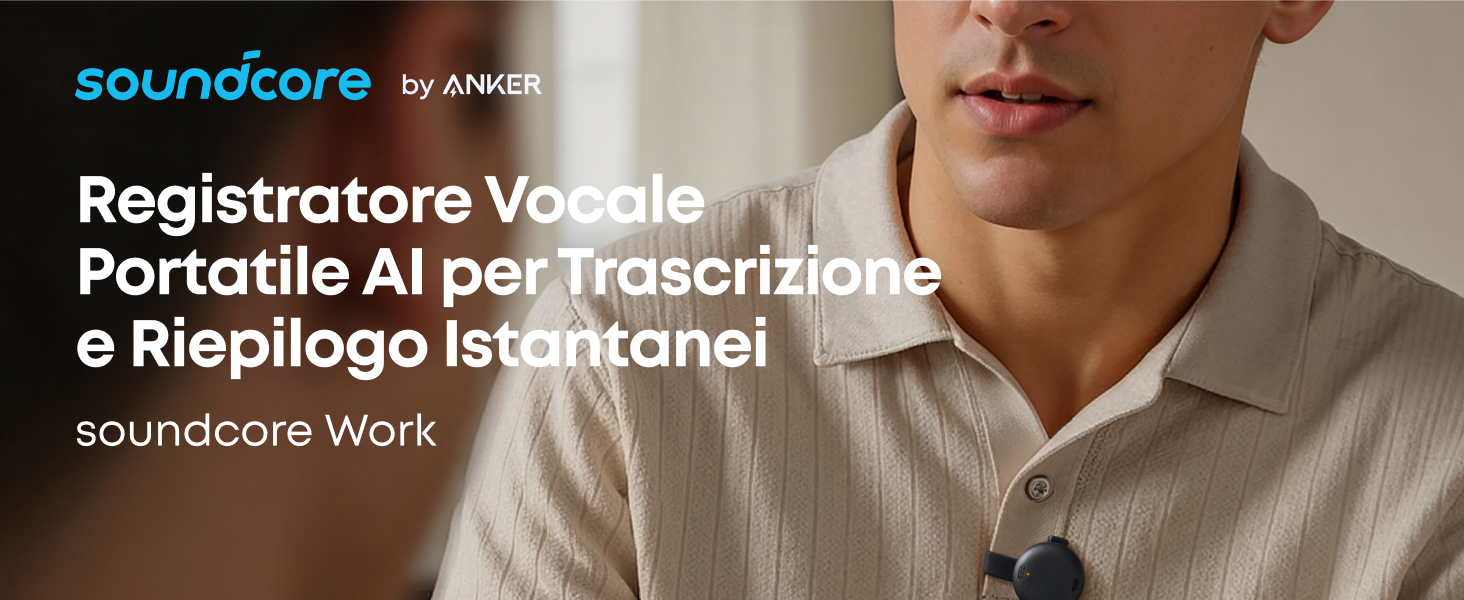
soundcore Work | Registratore vocale AI tascabile
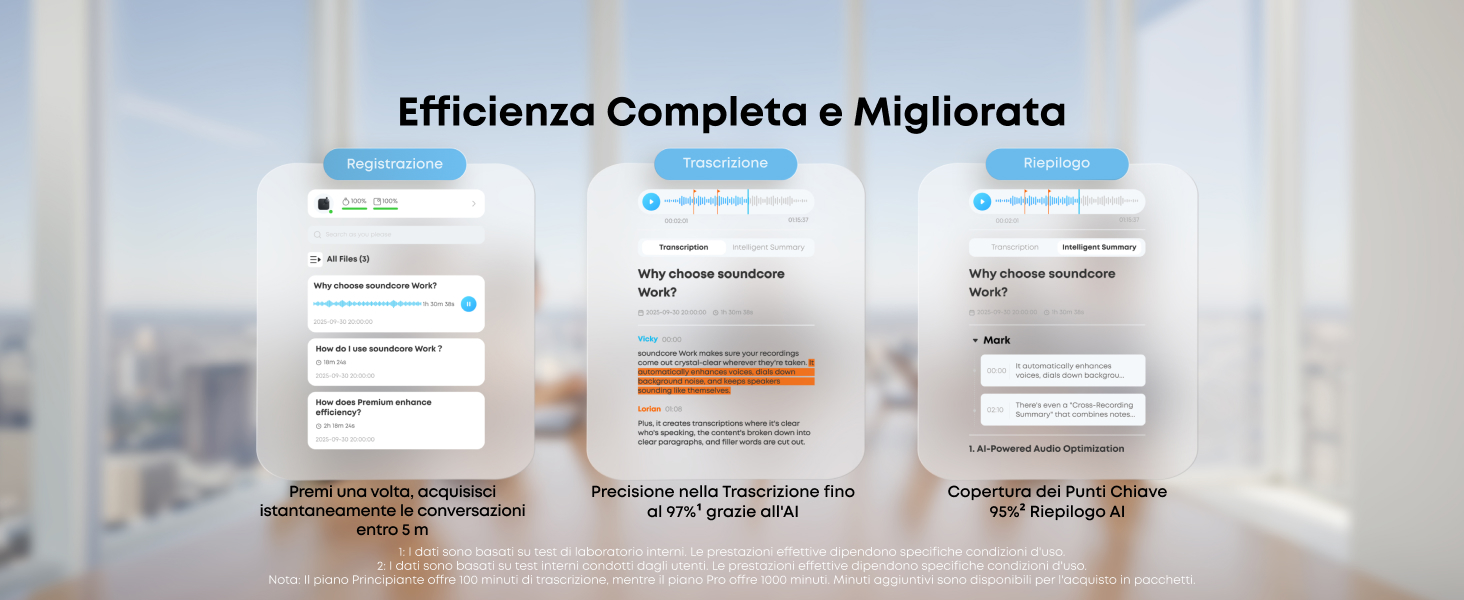
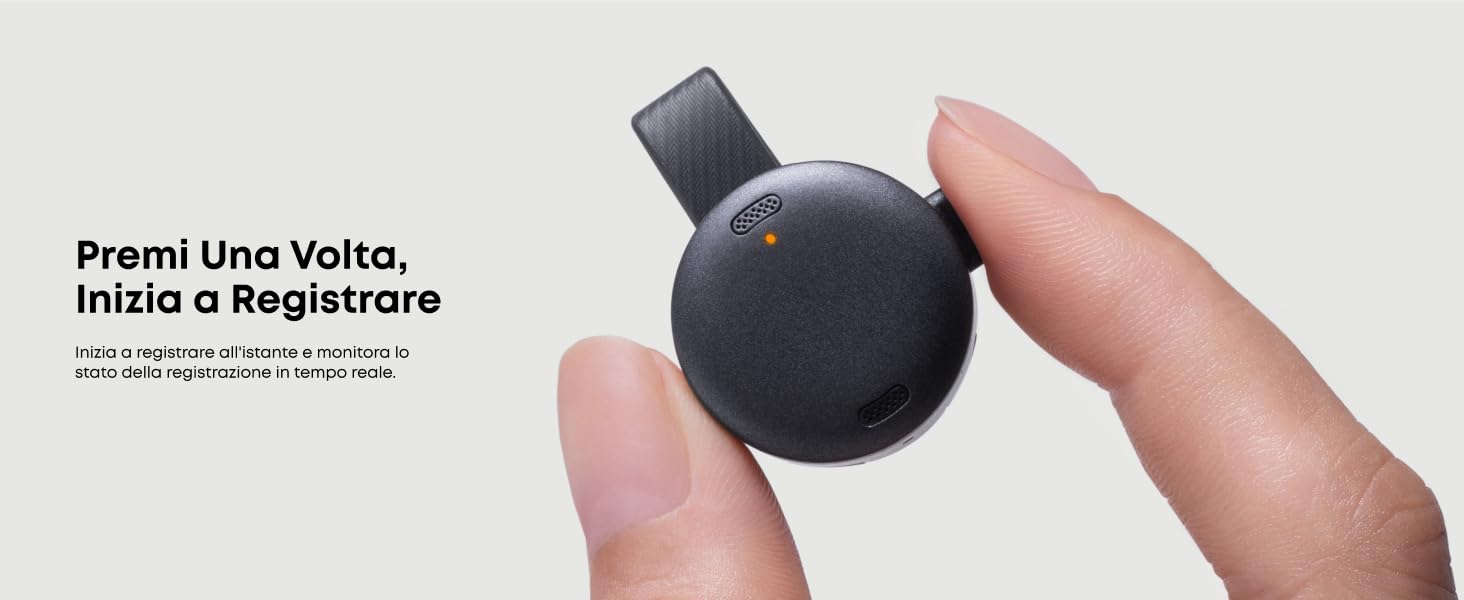
- Maggiore Efficienza: Avvia la registrazione istantaneamente con un solo clic e ottieni trascrizioni basate sull'AI con la massima precisione, il tutto riepilogato automaticamente in report chiari e strutturati utilizzando modelli intelligenti personalizzati in base alle tue esigenze.
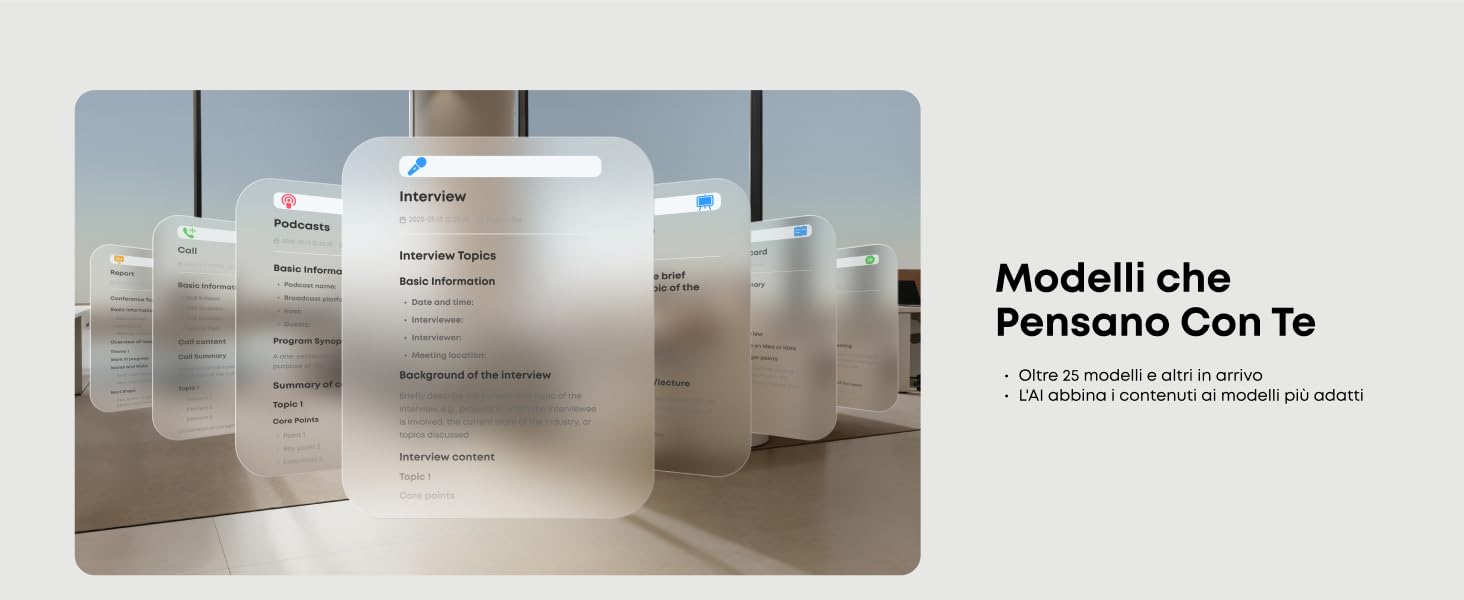
- Riepilogo intelligente: Con modelli AI avanzati, crea riepiloghi strutturati con modelli personalizzati per le tue riunioni. Il piano Pro ti consente di combinare automaticamente i riepiloghi di più riunioni e consolidare tutte le informazioni su un singolo argomento.
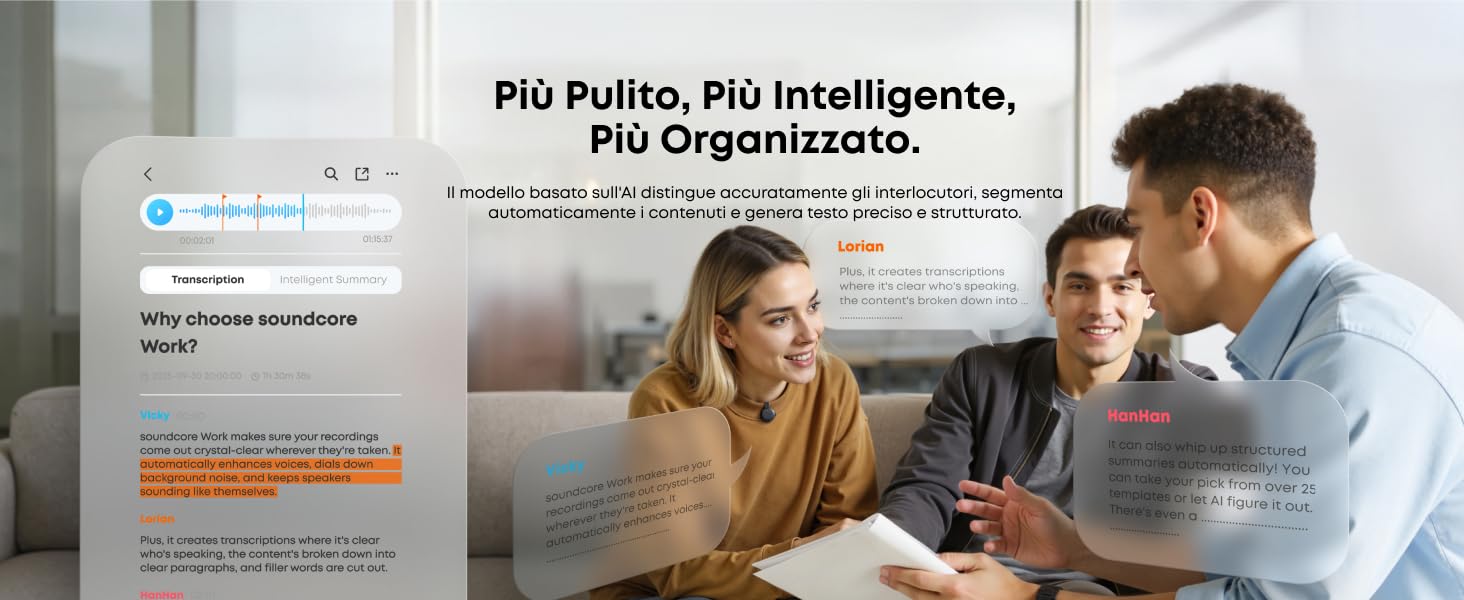
- Trascrizione Precisa: Modello di conversione da voce a testo che supporta oltre 100 lingue per una comunicazione transfrontaliera fluida. Rimozione automatica delle parole di riempimento e distinzione tra gli interlocutori. Il piano Pro offre 1.200 minuti di trascrizione al mese.
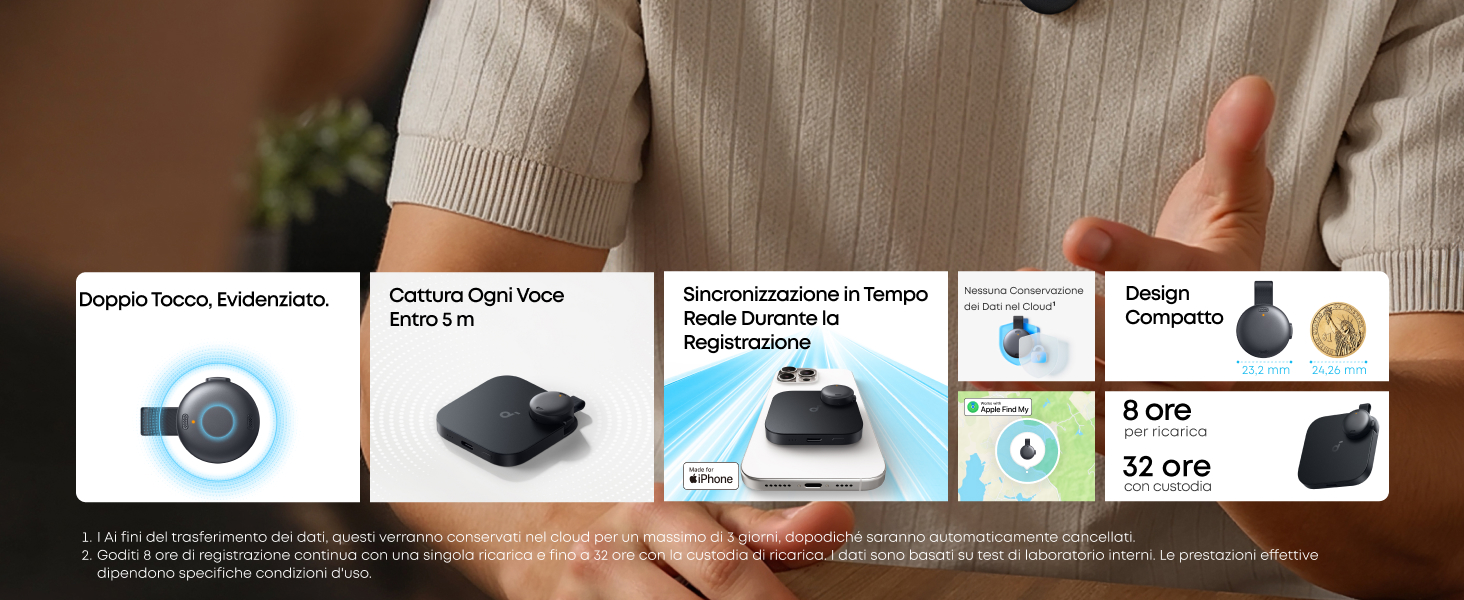
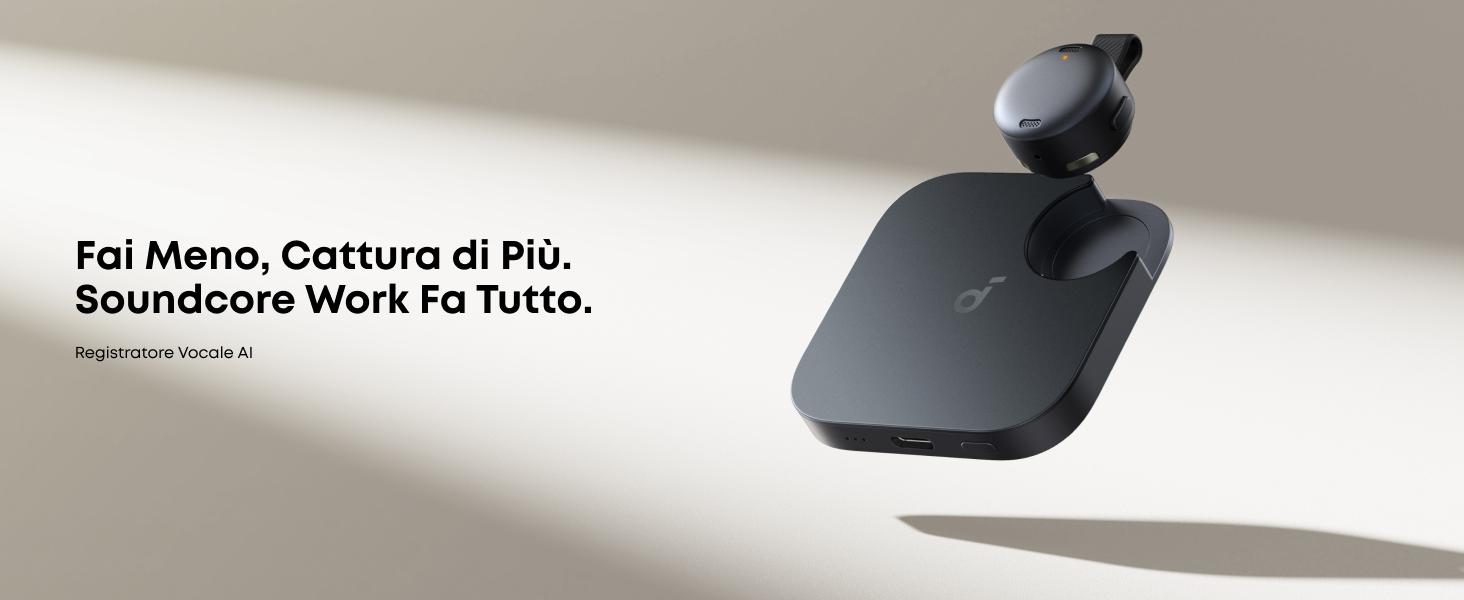
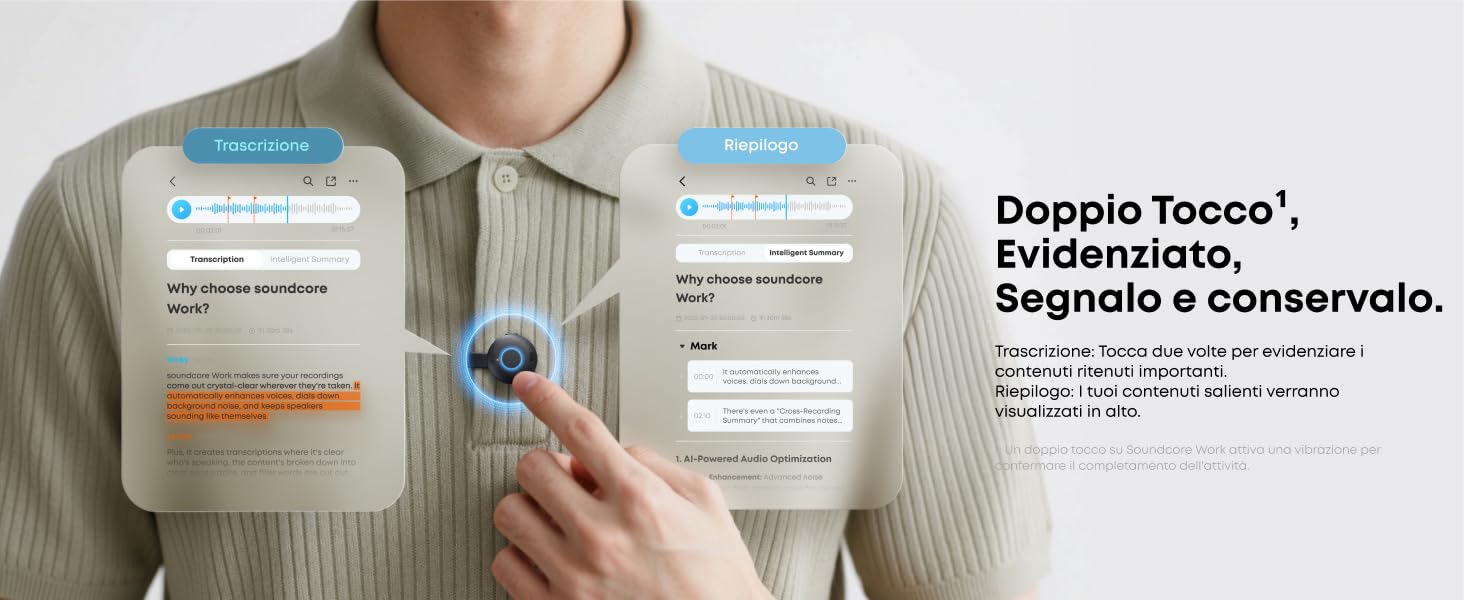
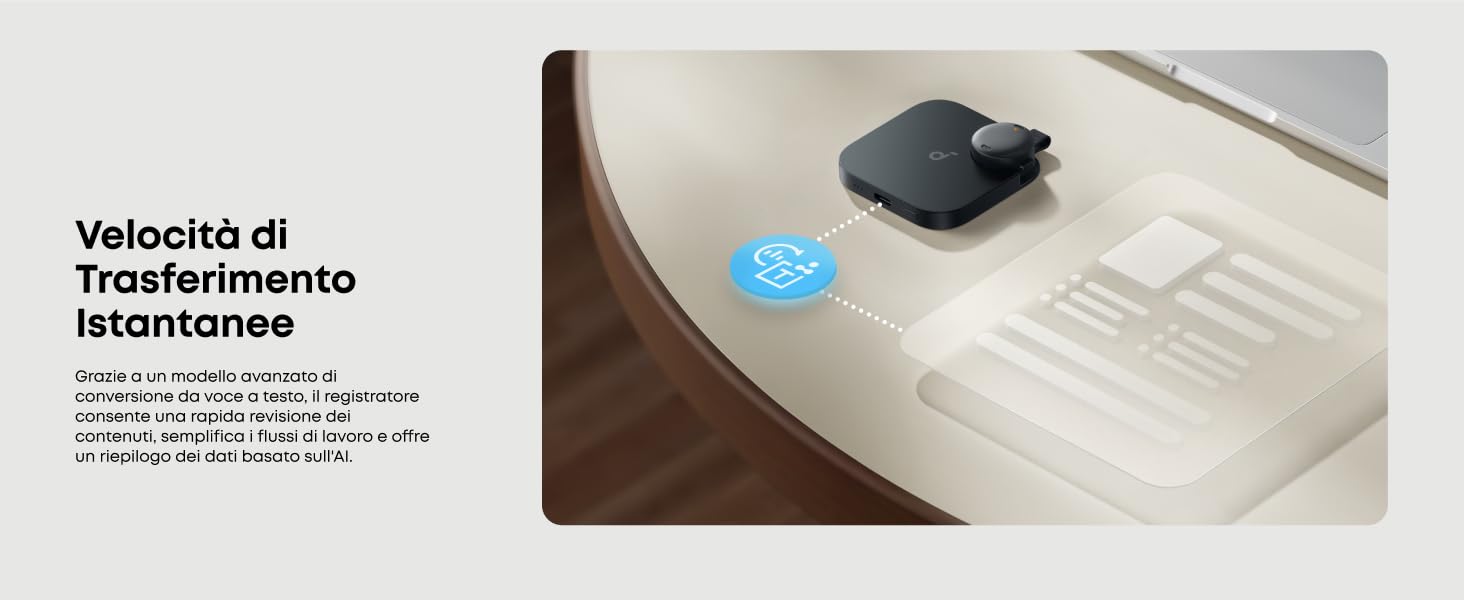
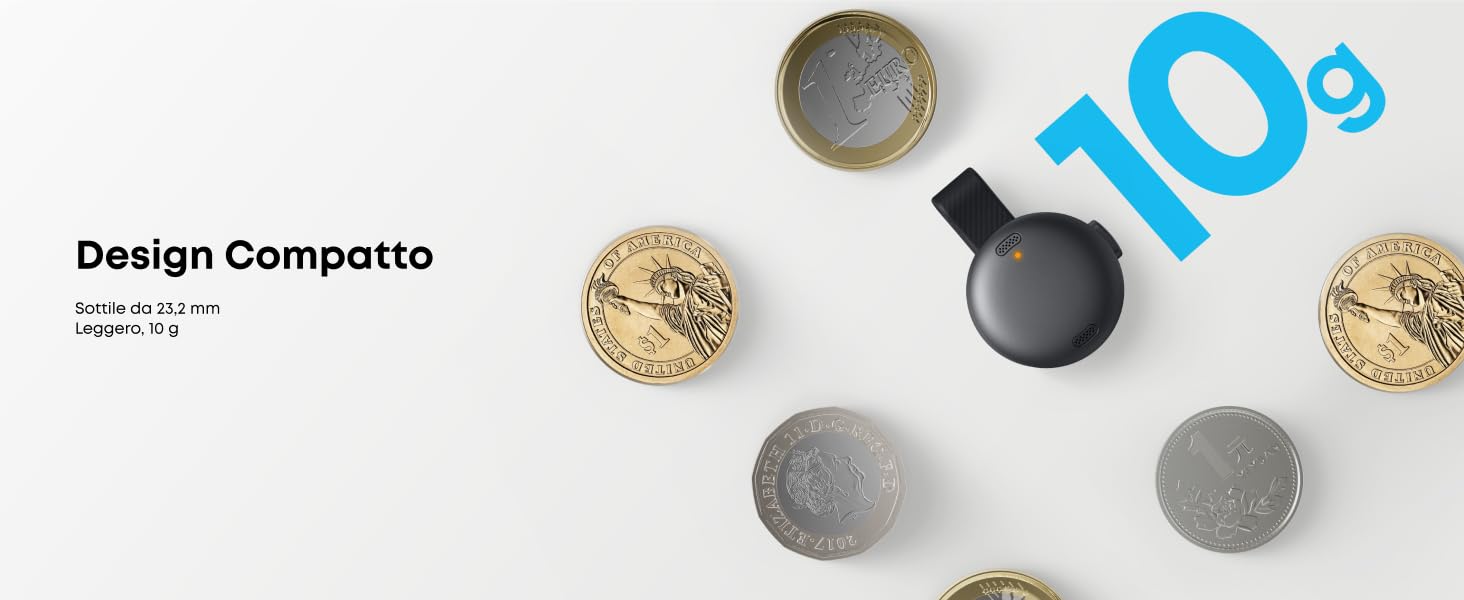
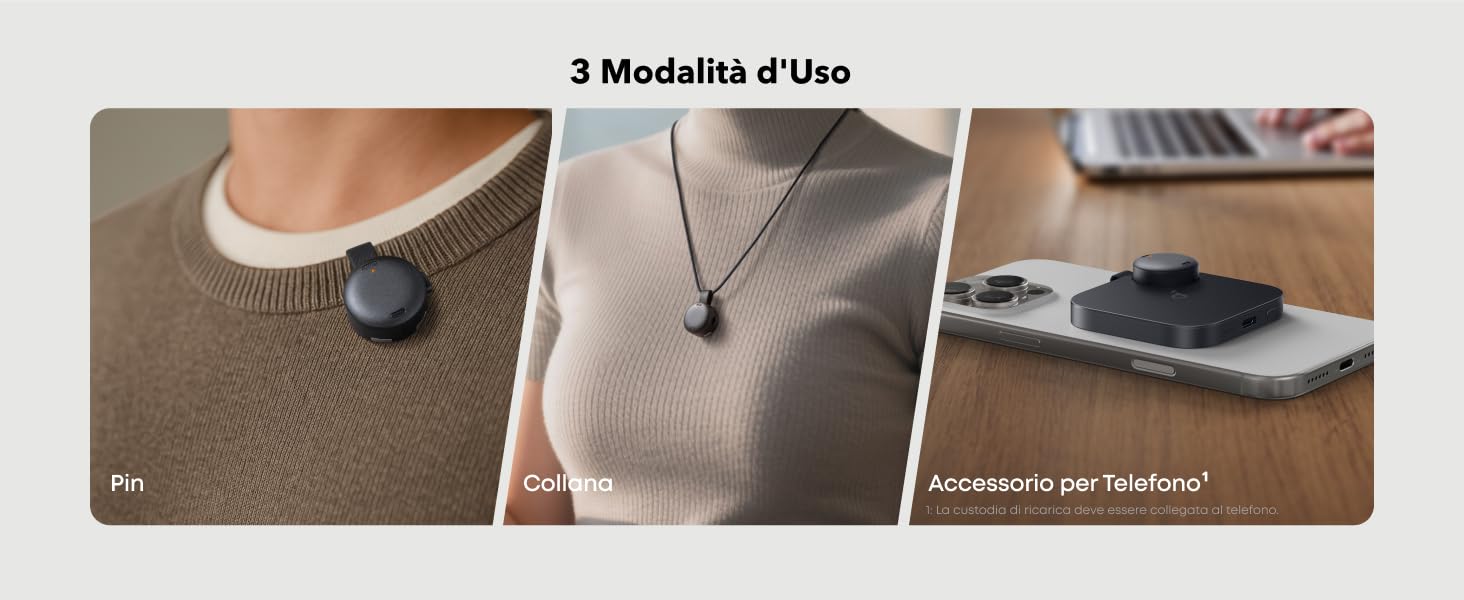
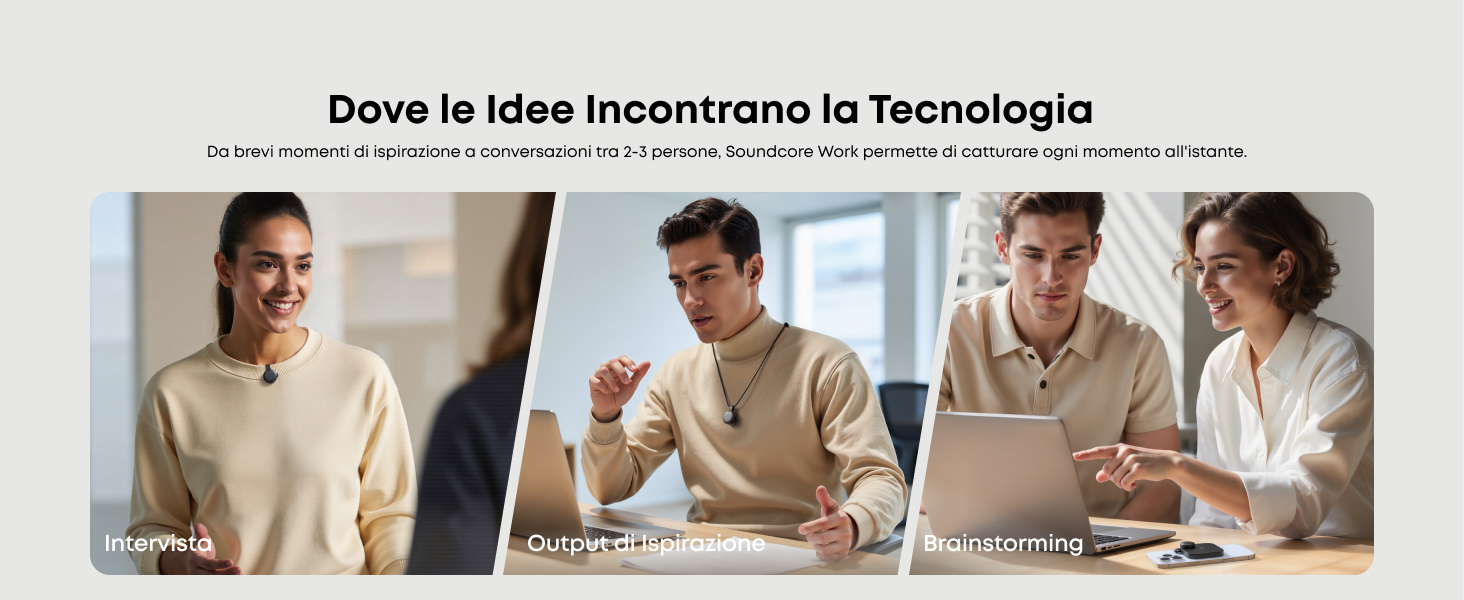
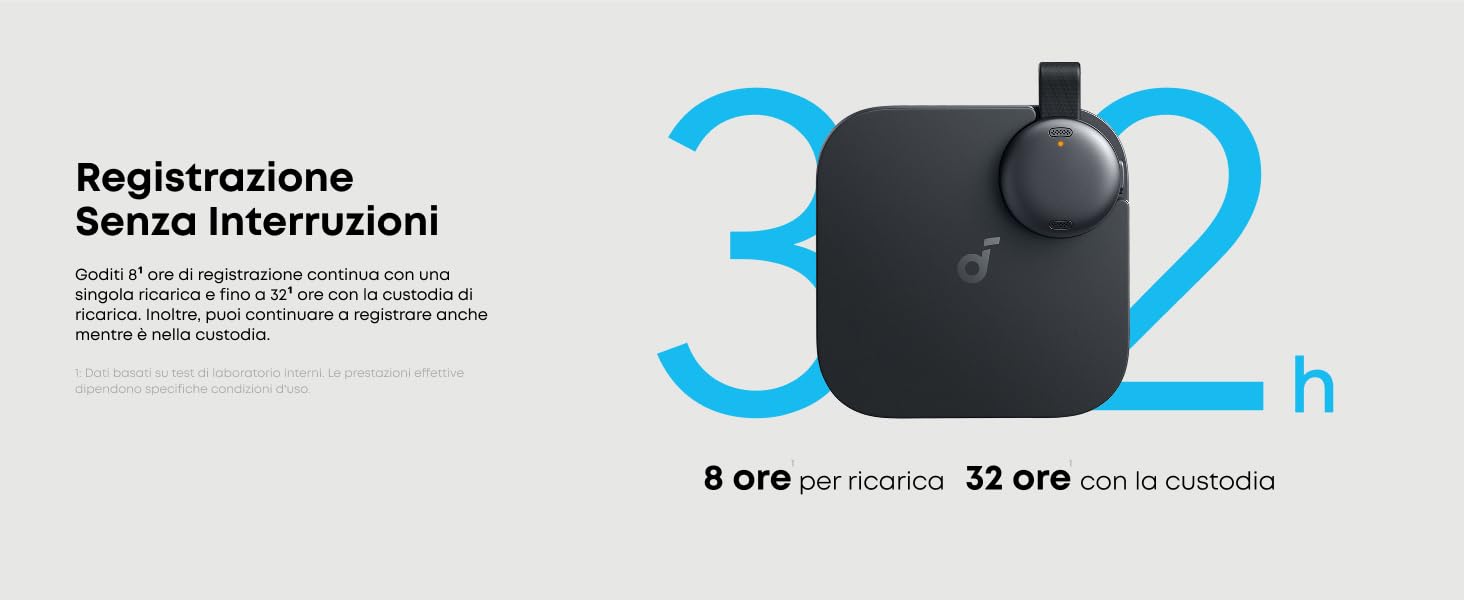
- Registrazione Istantanea: Con un peso di soli 10 g e un diametro di soli 23,2 mm, puoi agganciarlo al collare, appenderlo al collo o collegare la custodia di ricarica (con microfono integrato) al telefono. Avvia la registrazione istantaneamente con la semplice pressione di un pulsante.
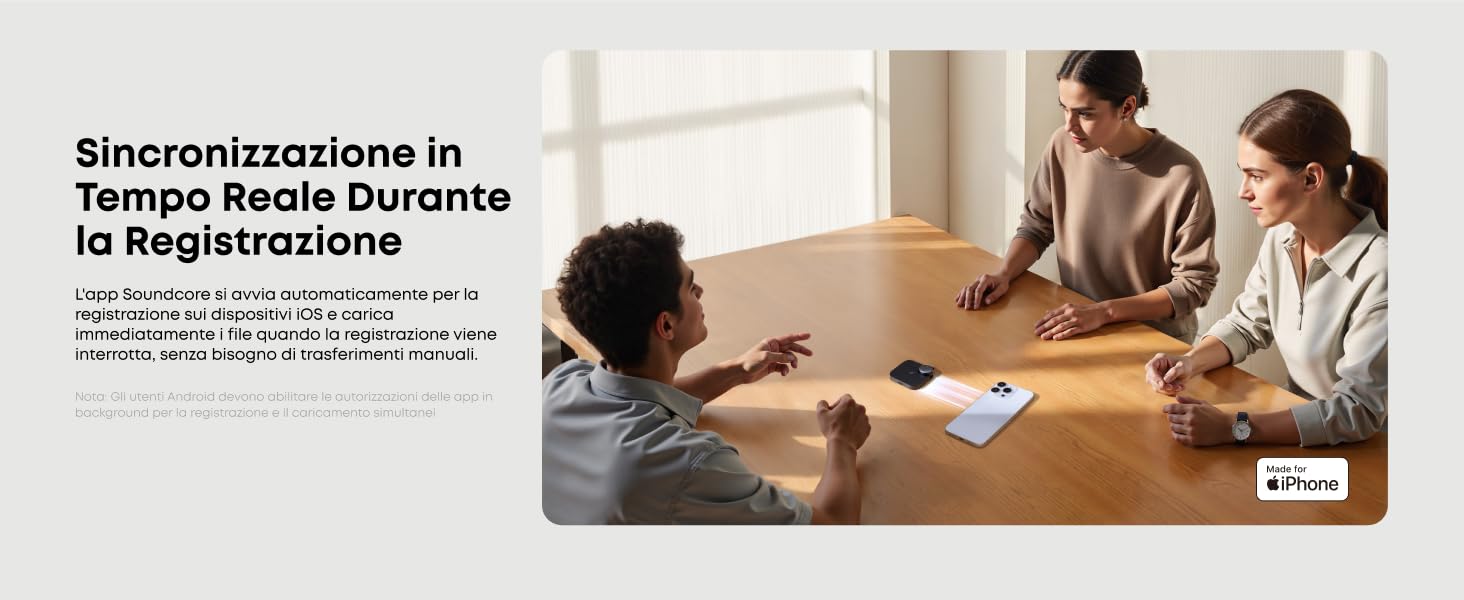
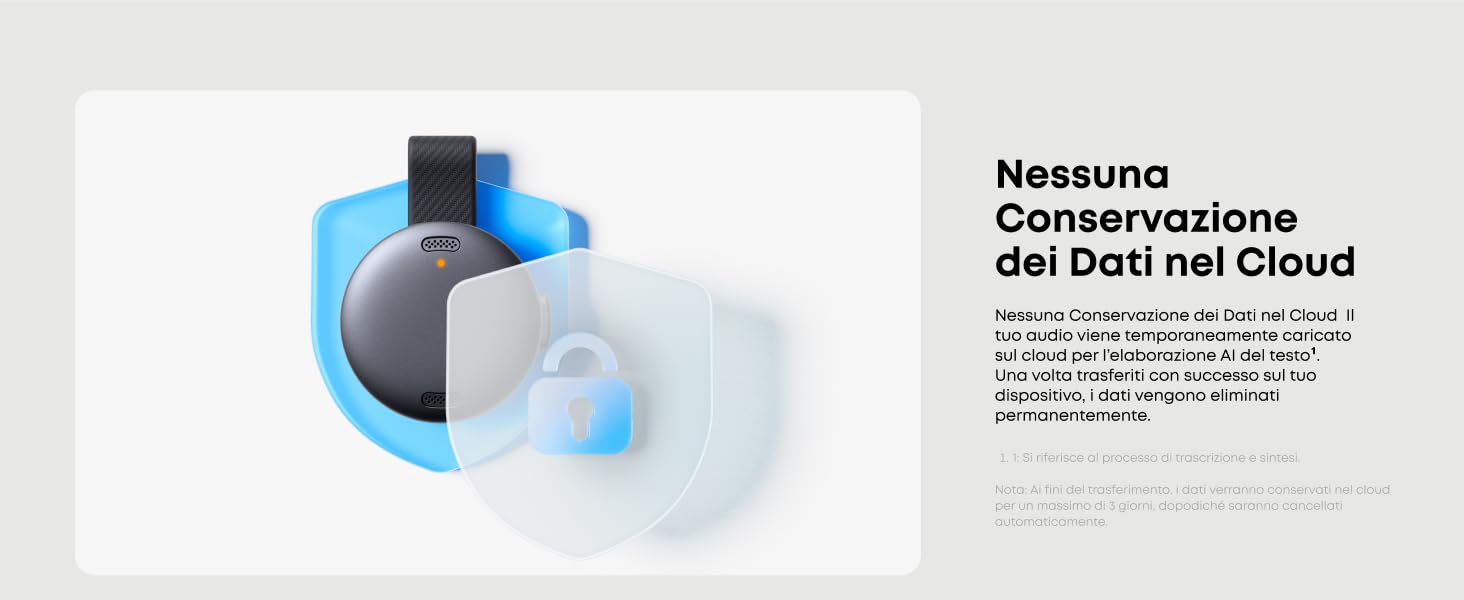
- Protezione della Privacy: I dati audio vengono eliminati immediatamente dopo la trascrizione dal cloud. I crediti di trascrizione e i file non recuperati vengono conservati temporaneamente fino a 7 giorni. Si consiglia di mantenere l'app aperta per ricevere subito i file.
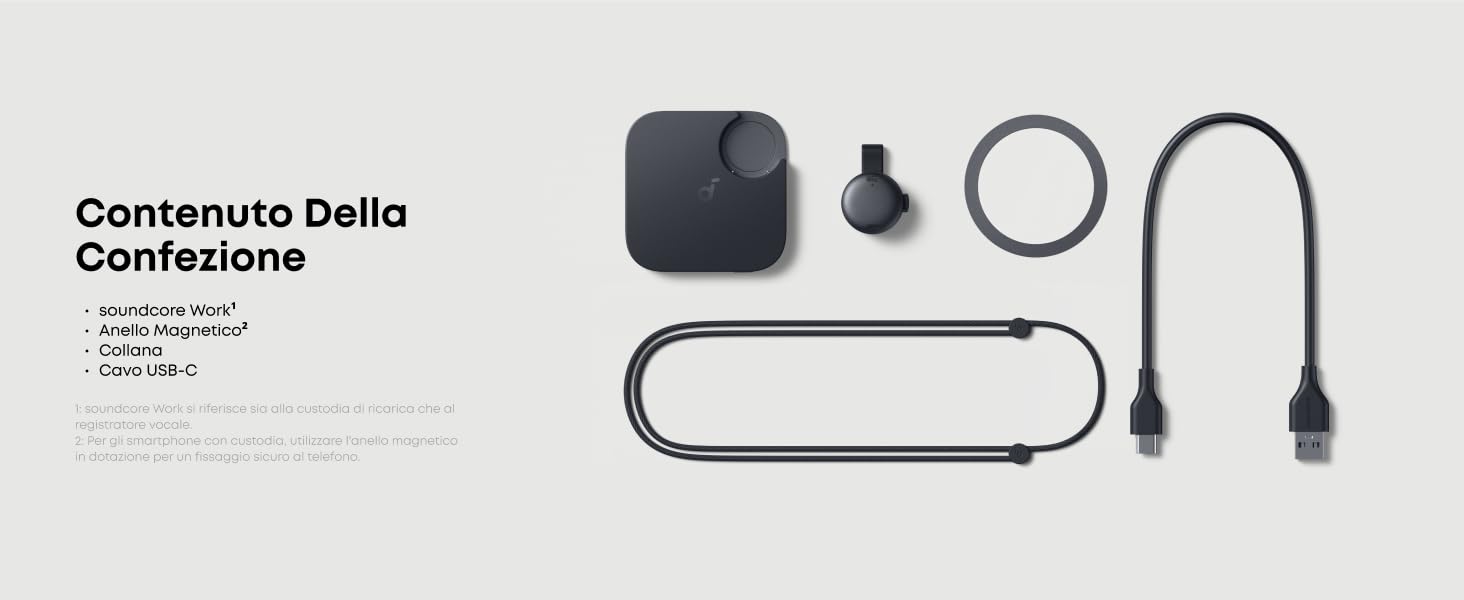
- Contenuto della confezione: 1 Soundcore Work, 1 cavo USB-C, 1 Collana, 1 Anello Magnetico. Nota: Accedi prima all'app per connettere il dispositivo per la configurazione iniziale.
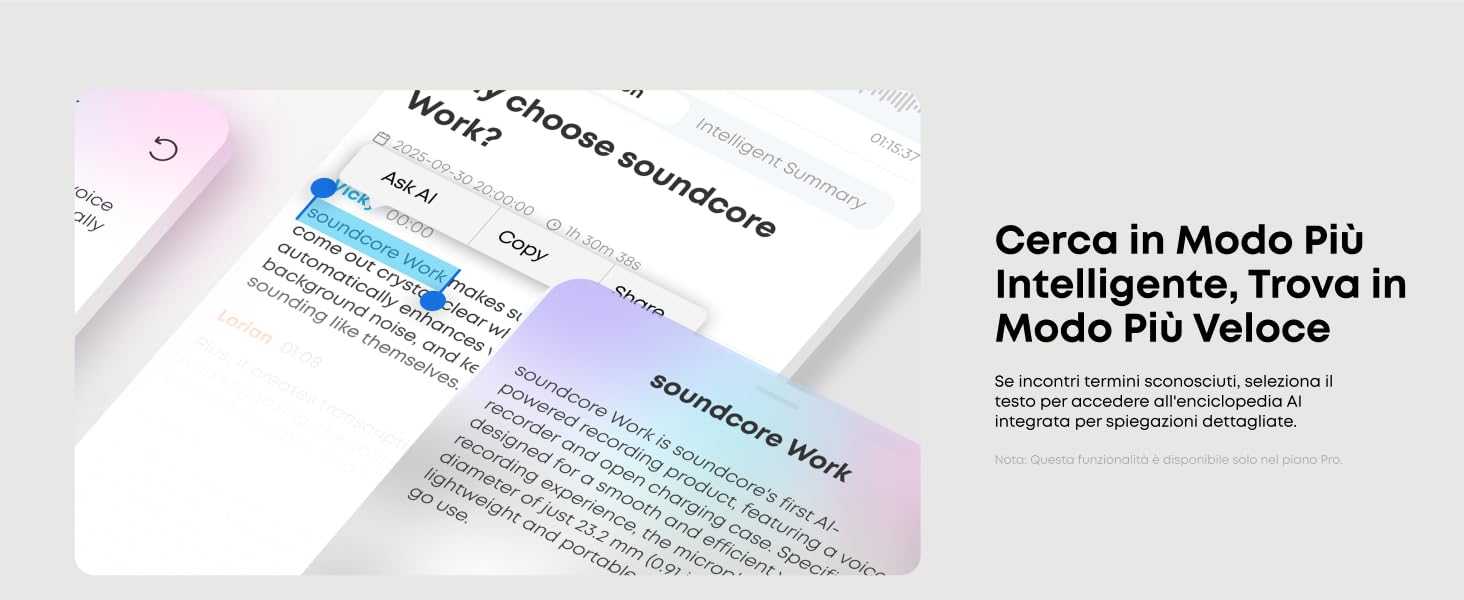
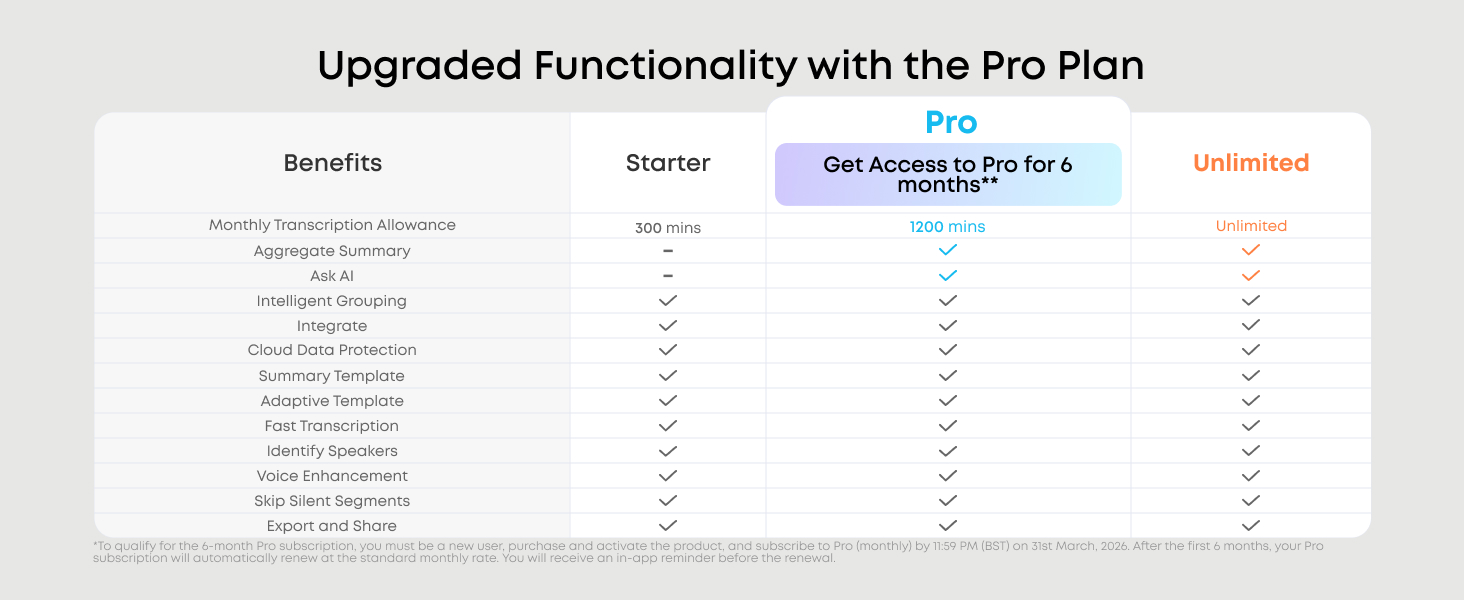
- Attiva Soundcore Work per ottenere 600 minuti di trascrizione AI senza canone per un anno. Il piano Principiante offre 100 minuti senza canone al mese, mentre il piano Pro ti offre 1.200 minuti al mese più funzionalità premium come Aggregate Summary e Ask AI a $ 12,99 al mese o $ 99,99 all'anno.
color:
capacità di memoria
159,99 €

- Maggiore Efficienza: Avvia la registrazione istantaneamente con un solo clic e ottieni trascrizioni basate sull'AI con la massima precisione, il tutto riepilogato automaticamente in report chiari e strutturati utilizzando modelli intelligenti personalizzati in base alle tue esigenze.
- Riepilogo intelligente: Con modelli AI avanzati, crea riepiloghi strutturati con modelli personalizzati per le tue riunioni. Il piano Pro ti consente di combinare automaticamente i riepiloghi di più riunioni e consolidare tutte le informazioni su un singolo argomento.
- Trascrizione Precisa: Modello di conversione da voce a testo che supporta oltre 100 lingue per una comunicazione transfrontaliera fluida. Rimozione automatica delle parole di riempimento e distinzione tra gli interlocutori. Il piano Pro offre 1.200 minuti di trascrizione al mese.
- Registrazione Istantanea: Con un peso di soli 10 g e un diametro di soli 23,2 mm, puoi agganciarlo al collare, appenderlo al collo o collegare la custodia di ricarica (con microfono integrato) al telefono. Avvia la registrazione istantaneamente con la semplice pressione di un pulsante.
- Protezione della Privacy: I dati audio vengono eliminati immediatamente dopo la trascrizione dal cloud. I crediti di trascrizione e i file non recuperati vengono conservati temporaneamente fino a 7 giorni. Si consiglia di mantenere l'app aperta per ricevere subito i file.
- Contenuto della confezione: 1 Soundcore Work, 1 cavo USB-C, 1 Collana, 1 Anello Magnetico. Nota: Accedi prima all'app per connettere il dispositivo per la configurazione iniziale.
- Attiva Soundcore Work per ottenere 600 minuti di trascrizione AI senza canone per un anno. Il piano Principiante offre 100 minuti senza canone al mese, mentre il piano Pro ti offre 1.200 minuti al mese più funzionalità premium come Aggregate Summary e Ask AI a $ 12,99 al mese o $ 99,99 all'anno.
Supporto per gli ordini
Consegna e pagamento

soundcore Work | Registratore vocale AI tascabile
159,99 €
soundcore Work Video


FAQ
Indossare
Come indossare soundcore P31i ?
1. Controlla i loghi L/R sul retro degli auricolari per assicurarti di indossarli nel lato corretto. Ruota gli auricolari finché non trovi la posizione più comoda.
2. Prova diverse misure di gommini per trovare la vestibilità migliore e ottenere una chiusura aderente. Se un auricolare non si adatta bene, puoi usare due misure differenti, ad esempio medio per un orecchio e grande per l’altro.
3. Usa il Fit Test nell’app soundcore per verificare quanto bene si adattano gli auricolari alle tue orecchie.
4. Inserisci gli auricolari nelle orecchie e ruotali delicatamente finché non li senti ben saldi.
Cosa fare se provi disagio dopo aver indossato i P31i/R60i NC per un periodo prolungato
Prova diverse misure di gommini. Se un auricolare risulta scomodo, puoi utilizzare misure diverse per ciascun orecchio, ad esempio medio per un orecchio e grande per l’altro.
Ruota leggermente gli auricolari finché non trovi la posizione più comoda. Usa il Fit Test nell’app soundcore per verificare la vestibilità.
Durante un utilizzo prolungato, fai delle pause per permettere alle orecchie di riposare.
Se il disagio persiste nonostante questi accorgimenti, contatta il servizio clienti per ricevere assistenza.
Cosa fare se gli auricolari P31i/R60i NC tendono a cadere facilmente?
Prova diverse misure di gommini. Se un auricolare risulta scomodo o non resta ben fermo, puoi usare misure diverse per ciascun orecchio, ad esempio medio per un orecchio e grande per l’altro.
Ruota gli auricolari finché non li senti comodi e ben stabili. Usa il Fit Test nell’app soundcore per verificare la vestibilità.
Se il problema persiste nonostante questi accorgimenti, contatta il servizio clienti per ricevere assistenza.
Perché i gommini dei miei P31i/R60i NC si girano facilmente quando li indosso?
Continua a utilizzarli per un po’ di tempo: con l’uso la situazione potrebbe migliorare.
Prova diverse misure di gommini per trovare quella più stabile e adatta alle tue orecchie.
Se il problema persiste nonostante questi accorgimenti, contatta il servizio clienti per ricevere assistenza.
ANC
Cosa fare se la cancellazione del rumore dei miei P31i/R60i NC non soddisfa le mie aspettative?
Prova diverse misure di gommini per trovare la vestibilità ideale e ottenere una buona chiusura. Se un auricolare non si adatta bene, puoi usare misure diverse per ciascun orecchio, ad esempio medio per un orecchio e grande per l’altro.
Usa il Fit Test nell’app soundcore per verificare quanto bene si adattano gli auricolari: una vestibilità non ottimale può ridurre l’efficacia della cancellazione del rumore.
Attiva la funzione Real‑time Adaptive ANC nell’app: gli auricolari regoleranno automaticamente il livello di riduzione del rumore in base all’ambiente circostante.
Nell’app, vai su Noise Cancellation > Mode > Adaptive ANC / Manual Mode / Multi‑Scene ANC e scegli la modalità più adatta alle tue preferenze e al livello di rumore dell’ambiente.
Prova gli auricolari in diversi ambienti per verificare eventuali differenze di prestazioni. Poiché il condotto uditivo varia da persona a persona, se non superi il Fit Test prova gommini di misure diverse per ciascun orecchio.
In condizioni di vento, attiva la funzione Riduzione del rumore del vento; ti consigliamo di disattivarla in ambienti interni o tranquilli.
Nota: In ambienti molto rumorosi la cancellazione attiva del rumore può sembrare meno efficace, il che è normale.
Cosa fare se provi vertigini o disagio durante l’uso della modalità ANC sui P31i?
Puoi regolare il livello di cancellazione del rumore tramite l’app soundcore per migliorare il comfort.
Sono disponibili 5 livelli, da 1 (minimo) a 5 (massimo): abbassare il livello a 1‑3 potrebbe aiutare a ridurre il disagio.
Procedura per regolare il livello ANC:
Apri l’app soundcore.
Vai su Noise Cancellation > Mode e seleziona Manual Mode.
Trascina il cursore per impostare il livello di cancellazione del rumore che preferisci.
Cosa fare se senti rumore del vento mentre usi i P31i all’aperto?
Apri l’app soundcore e attiva la funzione Riduzione del rumore del vento nella schermata principale di Noise Cancellation, per verificare se il problema migliora.
Per una qualità audio ottimale, utilizza la Riduzione del rumore del vento solo in condizioni ventose.
Cosa fare se senti rumori di fondo durante l’utilizzo della modalità ANC sui P31i?
Il problema potrebbe dipendere da una vestibilità non ottimale. Segui questi passaggi per assicurarti che gli auricolari siano indossati correttamente:
Controlla i loghi L/R sul retro degli auricolari per assicurarti di indossarli sul lato corretto. Ruotali finché non trovi la posizione più comoda.
Prova diverse misure di gommini per ottenere la migliore aderenza e una chiusura ermetica. Se un auricolare non si adatta bene, puoi usare misure diverse per ciascun orecchio, ad esempio medio per un orecchio e grande per l’altro.
Regola il livello di riduzione del rumore su 4 tramite l’app per verificare se la situazione migliora.
Per regolare il livello ANC:
Apri l’app soundcore.
Vai su Noise Cancellation > Mode e seleziona Manual Mode.
Trascina il cursore per impostare il livello di cancellazione del rumore che preferisci.
Ti consigliamo di passare temporaneamente dalla modalità Noise Cancellation alla modalità Normale per verificare se il rumore di fondo persiste.
In modalità Noise Cancellation, gli auricolari catturano i rumori ambientali tramite i microfoni e generano onde sonore opposte per annullarli.
Questo processo richiede un’elaborazione in tempo reale e può produrre un rumore elettronico di bassissima intensità, generato dai circuiti interni.
Tutti i dispositivi elettronici producono naturalmente un leggero rumore durante il funzionamento (come un lieve ronzio).
Questo rumore è quasi impercettibile ma può essere percepito da persone con un udito particolarmente sensibile.
Prova gli auricolari con diverse sorgenti audio o dispositivi Bluetooth (smartphone, tablet, ecc.) per verificare se il problema persiste.
Nota: In ambienti molto rumorosi la cancellazione del rumore può sembrare meno efficace, il che è normale.
Cosa fare se senti dei rumori durante l’utilizzo dei P31i?
Reimposta gli auricolari seguendo questi passaggi:
Rimuovi gli auricolari dalla custodia di ricarica.
Indossa entrambi gli auricolari e tieni premute contemporaneamente le superfici touch per 10 secondi.
Un tono di conferma indicherà che il reset è avvenuto con successo.
Prova gli auricolari con diversi dispositivi Bluetooth e in ambienti differenti per verificare se il problema persiste.
Perché sento dei rumori quando utilizzo la modalità Trasparenza sui P31i?
Verifica innanzitutto se il rumore proviene effettivamente dagli auricolari e se persiste dopo aver cambiato modalità su Normale o ANC.
Se il rumore scompare, è causato dal rilevamento dei suoni ambientali nella modalità Trasparenza: si tratta di un comportamento normale.
La modalità Trasparenza amplifica i rumori circostanti per permetterti di rimanere consapevole dell’ambiente esterno.
Questo può generare un leggero rumore di fondo, del tutto normale.
Se si tratta di un rumore lieve e costante, è normale.
Se invece il rumore è abbastanza forte da interferire con l’utilizzo normale degli auricolari, contatta il servizio clienti per ricevere assistenza.
Connessione
Come reimpostare i P31i?
Reimposta gli auricolari seguendo questi passaggi:
Rimuovi gli auricolari dalla custodia di ricarica.
Indossa entrambi gli auricolari e tieni premuta l’area touch su entrambi per 10 secondi.
Un tono di conferma indicherà che il reset è avvenuto con successo.
Se il reset non va a buon fine, prova a risolvere il problema seguendo questi suggerimenti:
Assicurati che la custodia di ricarica e gli auricolari siano correttamente collegati.
Verifica che sia la custodia che gli auricolari abbiano una carica sufficiente.
Pulisci i pin di ricarica con un panno asciutto per rimuovere eventuali tracce di sporco o polvere che potrebbero interferire con la ricarica.
If my P31i/R60i NC is already connected to two devices, how do I connect it to another device?
There are two ways to do it.
Option 1: Disconnect One Device
1. Turn off Bluetooth on one of your devices, or go to its Bluetooth settings and disconnect the earbuds.
2. In the soundcore app, go to More Settings > Dual Connections > Device List and toggle off your device. Then, tap to select and connect a new device, or hold both earbuds for 3 seconds to enter pairing mode.
Option 2: Disconnect Both Devices
Place the earbuds in the charging case and leave the case open. Then, press the case button for 3 seconds to connect via Bluetooth.
Connecting
How do I resolve pairing/connection issues with my P31i/R60i NC?
Possible issues with pairing/connection:
1. Earbuds not pairing.
2. Sound only coming from one earbud.
3. One earbud not connecting with the other earbud/the device.
4. No audio playback after connecting to my device.
5. Earbuds failing to automatically connect when removed from the case.
Steps to fix:
1. Restart your device. Then, turn off Bluetooth on your device and remove all paired devices.
2. Reset your earbuds using the following steps:
- Place the earbuds in the charging case and ensure the case lid stays open.
- After putting on the earbuds, simultaneously press and hold the touch area on both earbuds for 10 seconds. Hearing a prompt tone confirms a successful reset.
3. Turn Bluetooth on on your device and select "soundcore P31i/R60i NC" to pair.
4. Try pairing with another device, like a phone or tablet, to see if the issue persists.
If you see a prompt to confirm pairing, select "Pair." If you accidentally select "Cancel," turn your device's Bluetooth off and on again, then try again.
What should I do if P31i/R60i NC disconnects or the sound is choppy?
This may have something to do with the connected device and your environment. Bluetooth signal strength may be affected by walls, pillars, home appliances, Wi-Fi, and more. Avoid these to ensure a stable connection.
To fix this issue, do the following:
1. Fully charge your earbuds and reset them as follows:
- Place the earbuds in the charging case and leave the case open.
- After putting on the earbuds, simultaneously press and hold the touch area on both earbuds for 10 seconds. Hearing a prompt tone confirms a successful reset.
2. Turn off Dual Connections in the soundcore app.
3. Test the earbuds by playing downloaded music/videos.
4. Test your earbuds with a different Bluetooth device in a different environment to see if the issue persists.
What should I do if there is a delay in playback between my P31i/R60i NC and the device?
It's normal to experience a short delay with Bluetooth earbuds due to Bluetooth technology limitations. This delay is usually minimal and should not impact your experience. However, factors such as the earbuds, connected device, audio source, app, and network can influence the delay.
To fix this issue, do the following:
1. Forget the earbuds in your device's Bluetooth settings and restart your Bluetooth device.
2. Fully charge your earbuds and reset them as follows:
- Place the earbuds in the charging case and leave the case open.
- After putting on the earbuds,simultaneously press and hold the touch controls on both earbuds for 10 seconds. A reset confirmation tone indicates successful reset.
3. Test your earbuds with a different Bluetooth device or app, and play downloaded music/videos to see if the issue persists.
4. If you require low latency, you can enable Gaming Mode via the app by going to Sound Effects > Spatial Audio > Gaming Mode. Note that audio quality may be slightly reduced in this mode.
5. Turn off Dual Connections in the soundcore app.
Note: Ensure the Bluetooth device and earbuds are within range and free from signal interference.
How do I enable Dual Connection on P31i/R60i NC?
To pair your earbuds with a second device while already connected:
Option 1:
Press both earbud stems for 3 seconds. You will hear a prompt tone indicating the earbuds have entered pairing mode.
Option 2:
Open the app, go to Settings > More Settings > Dual Connections, and turn it on.
Why can't my soundcore P31i/R60i NC reconnect to my device after disconnecting or going out of range?
1. It might be due to incompatibility with certain phones or tablets (e.g., iOS 18.1.0). Update your device's system to the latest version and try again.
2. Turn your phone's Bluetooth off and on again. Place the earbuds in the case, close the lid, then open it to reconnect.
3. Try connecting to other devices to see if the issue persists.
Charging
How long does it take to fully charge P31i/R60i NC?
About 1 hour.
How long does it take to fully charge P31i/R60i NC's charging case?
About 3 hour.
What should I do if the battery of a single P31i/R60i NC earbud is draining quickly?
Under normal conditions, the earbuds offer approximately 8 hours of use in ANC mode and about 10 hours in normal mode (at 50% volume). Playback time may vary slightly depending on music content and volume level. When using the earbuds for calls, playback time will be reduced since calls consume more power than music playback. Please note that a difference of less than 1 hour between the left and right earbuds is normal.
If the discrepancy exceeds 1 hour, please try the following steps:
1. Ensure the protective film has been removed from the earbuds' surface.
2. Clean the charging contacts on the charging case and earbuds using a dry cloth/cotton swab dipped in medical alcohol to ensure proper connection during charging.
3. Verify the charging case has sufficient power, and the earbuds display normal battery levels while inside the case during charging.
4. Test battery life while playing music. Since ANC is enabled by default, switch to standard mode first if you need to test battery life in standard mode.
What is my P31i/R60i NC playtime from a single charge?
- ANC
Single charge: 8 hours
Total playtime with case: 40 hours
- Normal
Single charge: 10 hours
Total playtime with case: 50 hours
- Call
Single charge with ANC on: 5.3 hours
Note: Battery playtime is based on tests conducted in the soundcore laboratory using the default settings, in Normal mode, and at 50% volume. Actual playtime may vary depending on volume, audio source, environmental factors, usage, and other conditions.
How do I resolve charging issues with my P31i/R60i NC?
Possible issues with power:
1. The earbuds aren't charging.
2. The earbuds are still connected to my device even after returning to the case and closing the lid.
3. The earbuds aren't powering on when taken out of the case.
Steps to fix:
1. Ensure the ear tips do not obstruct the charging pins on the earbuds or in the charging case. Verify the earbuds are connected to the charging case. Place the left and right earbuds into the case separately. If the indicator lights on the charging case turn on for 5 seconds and then turn off, this indicates a successful connection.
2. Use a dry cloth or a cotton swab with rubbing alcohol to clean the charging pins on both the earbuds and the case.
3. Use different charging cables and wall chargers to charge the charging case, and ensure the case has sufficient power. The case cannot charge the earbuds when its battery level is below 5%.
If your earbuds haven't been used for a long time, charge them for at least 2 hours before use.
Sound
How do I use my P31i/R60i NC for the first time?
1. First, remove the protective films from the earbuds.
2. Place the earbuds into the charging case.
3. Close the lid and open again to enter pairing mode.
How do I adjust the volume via touch controls on my P31i/R60i NC?
The feature is disabled by default. You can enable this feature in Controls in the soundcore app by going to Controls > Single Tap > Volume -/+.
What should I do if I experience poor sound quality when using soundcore P31i/R60i NC?
1. Try different ear tip sizes to find the best fit and create a tight seal. If one earbud doesn't fit well, consider using different sizes for each ear, such as medium in one ear and large in the other.
2. Listen to different types of music and ensure the audio source is free from distortion or noise.
3. Experiment with different EQ modes in the soundcore app, and customize the EQ to your preference.
4. In the soundcore app, go to the P31i/R60i NC Home Page > More Settings > Sound Mode > Preferred audio quality LDAC. In this mode, you can enjoy high-quality audio. Increased power consumption and occasional minor lag in certain scenarios are normal.
Note: LDAC functionality is only available for Android phones. iOS phones do not support LDAC.
What should I do if the volume is low on one side of my P31i/R60i NC?
1. Gently clean the mesh on the rubber earpiece and the metal mesh underneath using a cotton swab dipped in a small amount of rubbing alcohol.
2. Fully charge and reset the earbuds as follows:
- Place the earbuds in the charging case and leave the case open.
- After putting on the earbuds, simultaneously press and hold the touch area on both earbuds for 10 seconds. Hearing a prompt tone confirms a successful reset.
3. Check the audio balance on your phone.
On Android devices: Go to Settings > Accessibility > Audio and On-Screen Text > Audio > Balance.
On Samsung devices: Go to Settings > Accessibility > Hearing Enhancements > Connected Audio.
On iOS devices: Go to Settings > Accessibility > Audio/Visual > Audio Balance.
Note: Moving the balance slider to the left increases the volume in the left earbud and decreases it in the right earbud, and vice versa.
What should I do if the bass quality is poor on my P31i/R60i NC?
If the audio lacks bass, the earbuds will reproduce it accordingly.
To address this issue, try the following:
1. Fully charge your earbuds and reset them as follows:
- Place the earbuds in the charging case and leave the case open.
- After putting on the earbuds, simultaneously press and hold the touch area on both earbuds for 10 seconds. Hearing a prompt tone confirms a successful reset.
2. Play different types of music and increase the volume on your connected device. Check if bass performance improves.
3. If the earbuds are not properly seated in your ears, you may not experience optimal bass performance. Try different ear wing sizes to ensure you have the best fit.
4. In the soundcore app, go to Sound Effect and select "Bass Booster" from the EQ options.
5. In the soundcore app, go to Custom EQ and adjust equalizer settings.
6. Test the earbuds with a different Bluetooth device to see if there is any difference in bass performance.
What should I do if the volume is low when my P31i/R60i NC is connected to my computer/phone?
1. Please adjust the fit to ensure a secure seal. Improper wearing may affect sound quality.
2. When wearing both earbuds, switching to listening from one earbud will switch the system to Normal mode. Check if fluctuations in volume are related to the change in mode.
3. Verify if Wind Noise Reduction and Adaptive ANC are enabled. Volume fluctuations may occur due to changes in the environment.
4. We recommend disabling Wind Noise Reduction in everyday environments.
What should I do if the volume fluctuates suddenly on my P31i/R60i NC?
1. Please adjust the fit to ensure a secure seal. Improper wearing may affect sound quality.
2. When wearing both earbuds, switching to listening from one earbud will switch the system to Normal mode. Check if fluctuations in volume are related to the change in mode.
3. Verify if Wind Noise Reduction and Adaptive ANC are enabled. Volume fluctuations may occur due to changes in the environment.
4. We recommend disabling Wind Noise Reduction in everyday environments.
How do I set up soundcore P31i/R60i NC's sound inputs and outputs from my computer?
For Windows computers:
1. Listening to audio only: Select "soundcore P31i/R60i NC Stereo" for computer audio. Adjust both the software and computer volume as needed.
2. Using a conference app (e.g., Zoom, Microsoft Teams):
Set the input and output in the app as:
Microphone: soundcore P31i/R60i NC Hands-Free
Speaker: soundcore P31i/R60i NC Hands-Free
Adjust the volume in the app. If that's unavailable, select "soundcore P31i/R60i NC Hands-Free" as the output in your computer's settings.
3. Using an audio/video app without input/output settings:
In your computer's audio settings:
Input: soundcore P31i/R60i NC Hands-Free
Output: soundcore P31i/R60i NC Hands-Free
For macOS computers:
Set both the input and output to soundcore P31i/R60i NC.
MIC
What should I do if I experience poor sound quality when I use P31i/R60i NC for calls?
1. Make sure the volume is set to maximum on both the earbuds and the connected device.
2. Try using ear tips that fit more snugly and ensure the earbuds are positioned correctly to create a proper seal. An improper fit can affect call quality.
3. Switch to the phone's microphone and make a call to see if the issue persists.
4. Test the earbuds in a quieter environment.
What should I do if the person on the other says my voice sounds very quiet and unclear when I use P31i/R60i NC for calls?
1. If using only one earbud, make sure the other earbud is in the charging case.
2. Try using ear tips that fit more snugly and ensure the earbuds are positioned correctly to create a proper seal. An improper fit can affect call quality.
3. Ensure "soundcore P31i/R60i NC" is selected as the audio output on your connected device and increase the volume on your device.
4. If the call was made through an app, try using your phone's native calling feature instead to see if the issue persists.
5. Test the earbuds with a different Bluetooth device and in a different environment to see if there is any difference.
6. Clean the earbuds and check if the microphone at the bottom is blocked.
What should I do if the other person can't hear me clearly during calls on P31i/R60i NC?
1. Try using ear tips that fit more snugly and ensure the earbuds are positioned correctly to create a proper seal. An improper fit can affect call quality.
2. Fully charge your earbuds and reset them as follows:
- Place the earbuds in the charging case and leave the case open.
- After putting on the earbuds, simultaneously press and hold the touch area on both earbuds for 10 seconds. Hearing a prompt tone confirms a successful reset.
3. Ensure "soundcore P31i/R60i NC" is selected as the audio output on your connected device and increase the volume on your device.
4. If the call was made through an app, try using your phone's native calling feature instead to see if the issue persists.
5. Test the earbuds with a different Bluetooth device and in a different environment to see if there is any difference.
6. Try calling other contacts to see if you experience similar issues, ensuring it's not due to poor network reception on their end.
How do I trigger my phone's voice assistant via P31i/R60i NC?
You can customize the controls in the app. Open the app, go to Controls > Double Press/Triple Press/Long Press > Voice Assistant. Note that "Single Press" can't be used for this function.
APP
What should I do if firmware updates for my P31i/R60i NC update firmware were unsuccessful?
1. If the download fails, please try again in an environment with a stable internet connection.
2. If the installation fails, uninstall and reinstall the soundcore app, restart your phone, and try again.
3. Try using a different phone.
4. Modify location permissions and settings: Go to Settings > Privacy > soundcore > Location > Allow Only While Using the App.
If the issue persists, please provide us with your phone model and the serial number from the app, and we'll look into it.
What should I be aware of when updating the firmware for my P31i/R60i NC?
- Keep the earbuds in the charging case with the case open.
- Ensure the earbuds have over 20% of charge.
- Do not use the earbuds during the process.
- If the update fails, try again.
- If possible, try the upgrade with another device.
- Avoid updating the firmware in areas with potential interference, such as dense Wi-Fi networks or cell phone towers. Try updating again in a different location.
What should I do if I can't find my P31i/R60i NC in the soundcore app, or it won't connect?
1. Download the latest version of the soundcore app from your app store. If you already have the app, uninstall and reinstall it.
2. Pair your earbuds with your phone. Currently, the soundcore app does not support computers.
3. Open the app, tap the grid icon at the bottom left corner to enter My Devices, then tap Add Device. The app will automatically connect to soundcore P31i/R60i NC.
Note: You must enable location permissions the first time you use the app.
4. If the connection fails, go to Set Up Manually > Other Series > soundcore P31i/R60i NC to check if it can be added manually. If you can't find the model, please take a screenshot of the page and send it to us.
5. Ensure your phone isn't connected to other Bluetooth devices. If so, disconnect them, then try connecting through the app again.
6. If the issue persists, uninstall and reinstall the app, then log in again.
7. Devices running below iOS 13 (excluding iOS 13) do not support connection with soundcore P31i/R60i NC.
If the issue persists, please contact our customer service and provide your mobile phone model, app version, and screenshots from Step 4.
If the first connection was successful, but subsequent connections fail:
1. Check if Dual Connections is enabled. If the app is active on one device, it cannot connect to another. Close the app on the connected device and try again.
2. Restart the device or try connecting with a different one.
How do I set up HearID for my P31i/R60i NC via the app?
1. Log in to your soundcore account in the app.
2. Tap HearID Sound Test to begin setup. Once completed, the results will be automatically saved and applied.
Can my P31i/R60i NC use Dual Connection and LDAC simultaneously?
Yes. Please be aware that enabling LDAC on both devices will reduce battery life.
Which functions are affected when my P31i/R60i NC have LADC enabled?
When LDAC is enabled, spatial audio cannot be enabled.
How do I use spatial audio with my P31i/R60i NC?
1. Wear both earbuds, open the soundcore app, connect to P31i/R60i NC, and navigate to the app's home page.
2. Navigate to Sounds Effects > Mode > Spatial Audio > Music Mode/Movie Mode/Gaming Mode. You can select the mode that best matches your needs.
Note: Enabling Spatial Audio Effects will reduce the battery life of your earbuds on a single charge.
Operation
Why is the touch control not responsive at times on my P31i/R60i NC?
1. Keep your hands clean and dry.
2. Make sure you're touching the designated touch area, where the logos are.
3. For double-taps, the interval between the two taps must be less than 400 ms, while for single-taps, the interval must exceed 1 second.
4. Single-tap and triple-tap have no functions by default. To enable single-tap control, go to the soundcore app settings.
How do I power P31i/R60i NC on or off?
Powering on:
Simply open the charging case while the earbuds are inside.
Powering off:
1. Place the earbuds back in the case and close the lid to turn them off.
2. When the earbuds are outside the case, they will automatically power off after 30 minutes of inactivity without a connection. This reduces power consumption.
Can I use a P31i/R60i NC earbud independently?
Yes, placing one earbud in the case and closing the lid allows the other earbud to be used independently.
Controls during music playback
When wearing in one ear:
Double-press either earbud to pause/play music by default. Controls can be customized through the soundcore app.
When wearing in both ears:
Double-press the right earbud to play/pause music by default.
Double-press the left earbud to skip tracks by default. (These settings can be found in the soundcore app.)
How do I answer/hang up calls using my P31i/R60i NC?
Double-tap the touch surface on either earbud to answer a call, and hold for 2 seconds to hang up.
Note: Controls for the answer/hang-up function cannot be customized.
How do I switch to the previous or next track using my P31i/R60i NC?
Double-press the left earbud to skip to the next track, and double-press the right earbud to pause/play. These are the default controls which can be customized through the soundcore app.
What do the LED lights on the charging case of my P31i/R60i NC indicate?
When not charging the charging case
Battery level 0%-20%: Red light flashes for 5 seconds then turns off.
Battery level 20%-100%: White light flashes for 5 seconds then turns off.
When charging the charging case:
0%-20% charge: Red light breathes every 2 seconds
20%-100% charge: White light breathes every 2 seconds
Fully charged: White light stays on for 5 minutes then turns off
During OTA update:
Update in progress: White light breathes every 2 seconds
Update complete: White light stays on for 5 seconds then turns off
When the earbuds are in the case:
Case battery > 20%: White light stays on for 5 seconds
Case battery < 20%: Red light stays on for 5 seconds
How do I switch between ANC and Transparency Mode via touch control on my P31i/R60i NC?
Hold either the left or right earbud stem for 2 seconds to switch between ANC and Transparency Mode. This is the default setting. You can add Normal mode via the soundcore app.
How should I take care of my P31i/R60i NC?
1. Do not leave your earbuds unused for extended periods. Use them at least once a month. Completely depleting the battery can lead to over-discharge, reducing its lifespan.
2. Charge your earbuds before the battery drops to 20% or lower.
3. Do not leave the charging case in a low-battery or fully drained state for prolonged periods. Ensure the case has sufficient charge when not using for a while.
4. Clean the earbuds, the case's charging contacts, the speakers, and ear tips promptly after use. Clean the charging pins on the earbuds at least once a month using a cotton swab or cloth with alcohol.
5. Store the earbuds in a dry place. If they come into contact with liquids, dry them with a hairdryer on the cold setting.
How can I avoid accidentally triggering the touch controls when adjusting the ear tips on my P31i/R60i NC?
Avoid the touch area, which is located near the logo.
How do I clean soundcore P31i/R60i NC?
Clean the charging pins on the earbuds and charging case, the speaker openings on the earbuds, and the ear tips promptly after each use. (We recommend cleaning the charging pins at least once or twice a month using a cotton swab or cloth dipped in alcohol.)
Come indossare soundcore P31i ?
1. Controlla i loghi L/R sul retro degli auricolari per assicurarti di indossarli nel lato corretto. Ruota gli auricolari finché non trovi la posizione più comoda.
2. Prova diverse misure di gommini per trovare la vestibilità migliore e ottenere una chiusura aderente. Se un auricolare non si adatta bene, puoi usare due misure differenti, ad esempio medio per un orecchio e grande per l’altro.
3. Usa il Fit Test nell’app soundcore per verificare quanto bene si adattano gli auricolari alle tue orecchie.
4. Inserisci gli auricolari nelle orecchie e ruotali delicatamente finché non li senti ben saldi.
Cosa fare se provi disagio dopo aver indossato i P31i/R60i NC per un periodo prolungato
Prova diverse misure di gommini. Se un auricolare risulta scomodo, puoi utilizzare misure diverse per ciascun orecchio, ad esempio medio per un orecchio e grande per l’altro.
Ruota leggermente gli auricolari finché non trovi la posizione più comoda. Usa il Fit Test nell’app soundcore per verificare la vestibilità.
Durante un utilizzo prolungato, fai delle pause per permettere alle orecchie di riposare.
Se il disagio persiste nonostante questi accorgimenti, contatta il servizio clienti per ricevere assistenza.
Cosa fare se gli auricolari P31i/R60i NC tendono a cadere facilmente?
Prova diverse misure di gommini. Se un auricolare risulta scomodo o non resta ben fermo, puoi usare misure diverse per ciascun orecchio, ad esempio medio per un orecchio e grande per l’altro.
Ruota gli auricolari finché non li senti comodi e ben stabili. Usa il Fit Test nell’app soundcore per verificare la vestibilità.
Se il problema persiste nonostante questi accorgimenti, contatta il servizio clienti per ricevere assistenza.
Perché i gommini dei miei P31i/R60i NC si girano facilmente quando li indosso?
Continua a utilizzarli per un po’ di tempo: con l’uso la situazione potrebbe migliorare.
Prova diverse misure di gommini per trovare quella più stabile e adatta alle tue orecchie.
Se il problema persiste nonostante questi accorgimenti, contatta il servizio clienti per ricevere assistenza.


